Tutorial
Connecting Databases
Link an external database so the AI can query your data directly.
1
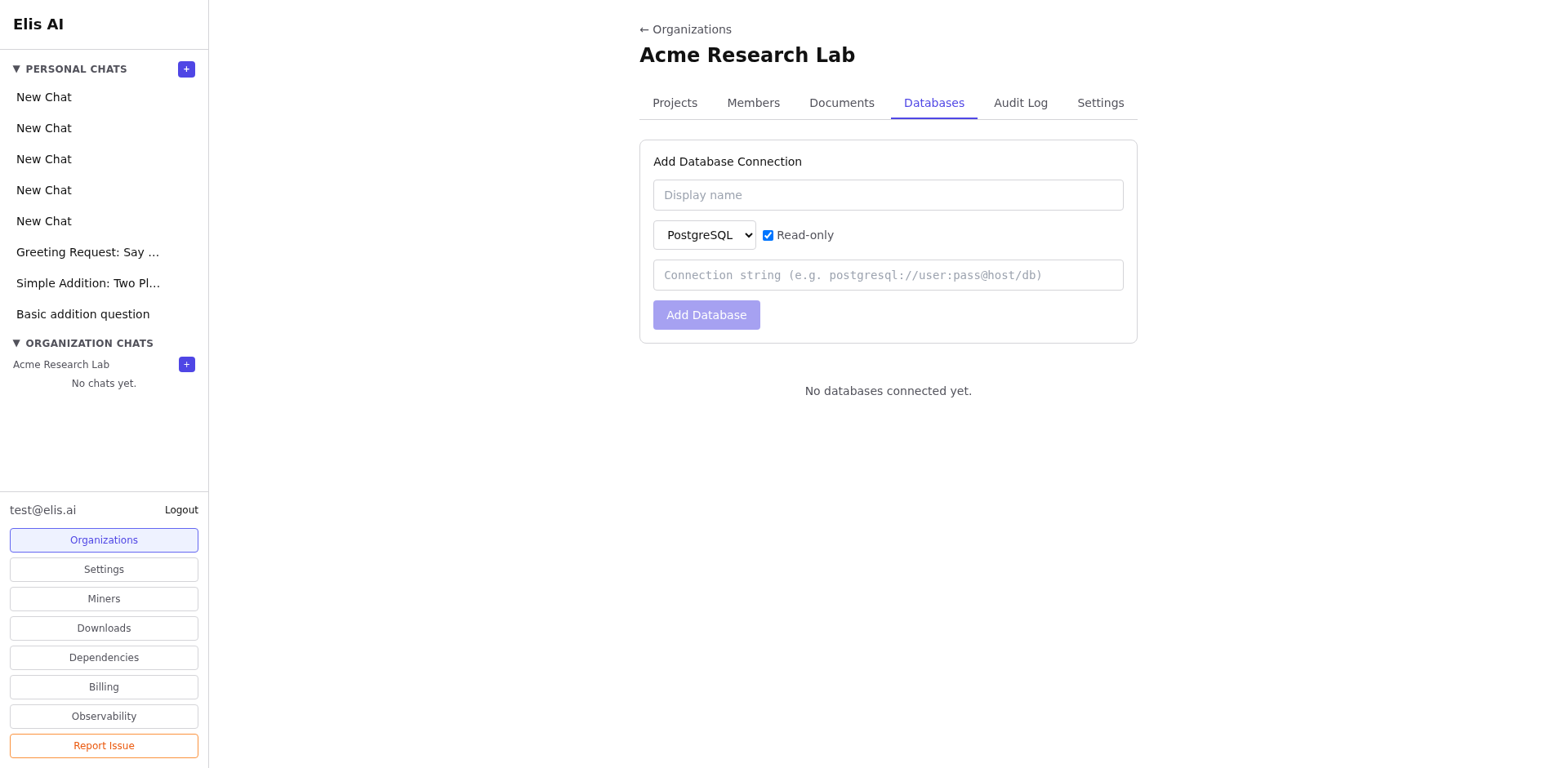
Open the Databases tab
Navigate to your organization and select the Databases tab.
2
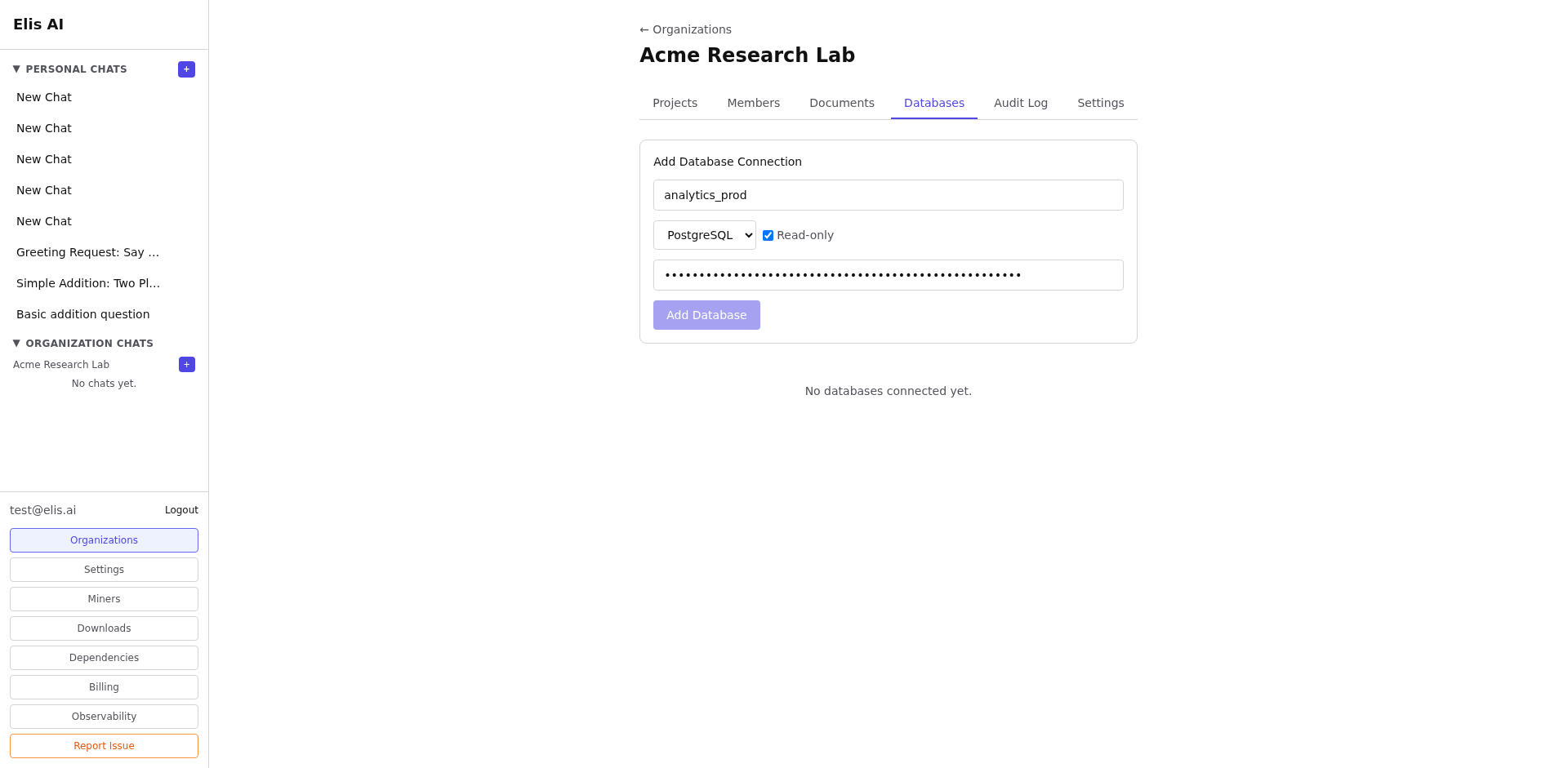
Add a new connection
Click Add Database. Fill in the connection details: host, port, database name, username, and password.
3
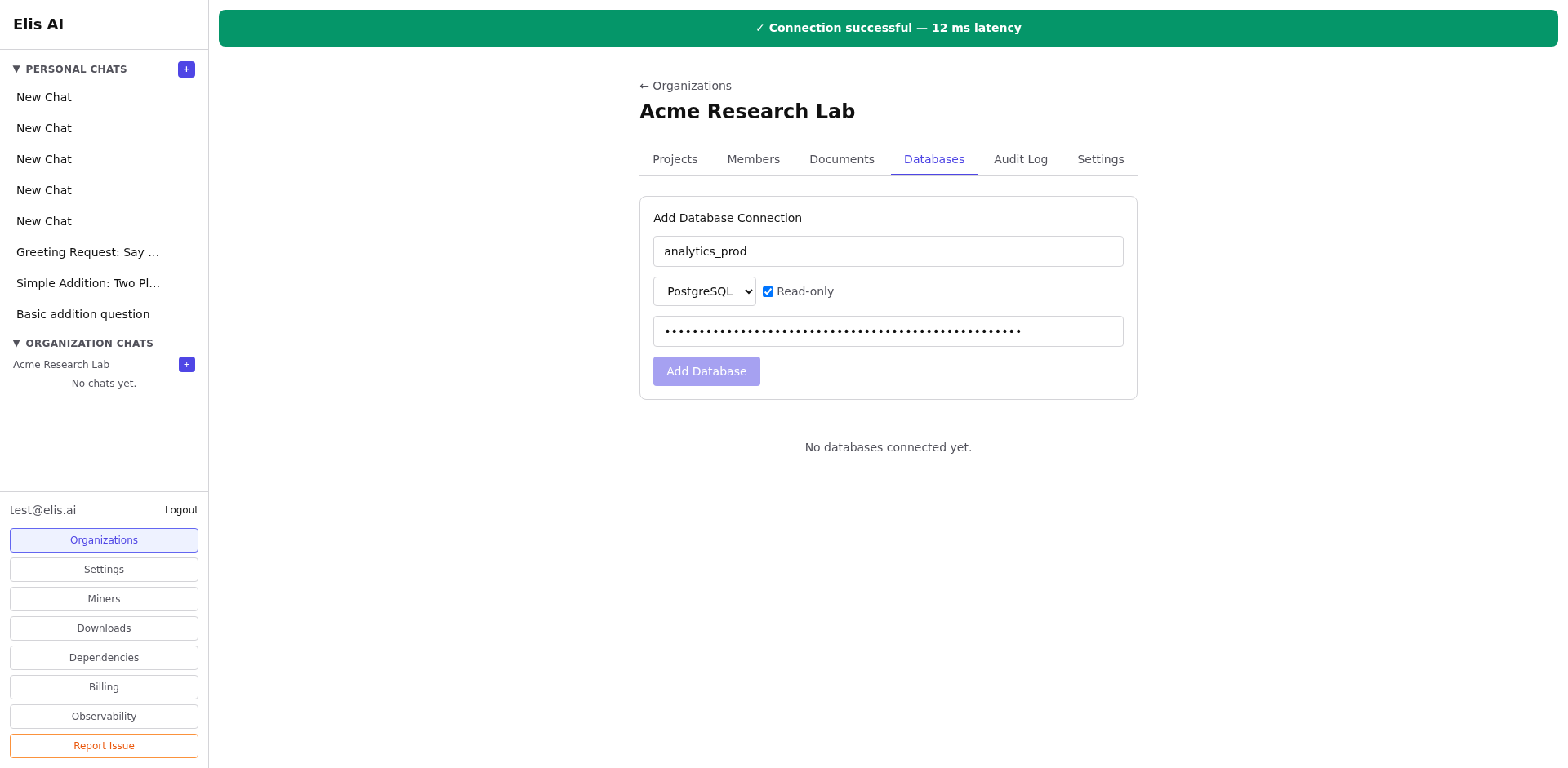
Test the connection
Click Test Connection to verify that the credentials are correct and the database is reachable.
4
Save and use
Click Save. The AI can now query this database when answering questions within the organization context.
Tip:Use a read-only database user for safety. The AI generates SQL queries and returns results — it never modifies your data.